
How Sundæ Works
Sundæ helps you turn food inspiration from TikTok, Instagram, and YouTube into real, cookable meals. Save recipes, add them to your weekly plan, combine ingredients into one grocery list, shop with Instacart, and use USDA-based nutrition scores to build a more balanced week.
1. Save Recipes From Social Media
Found a recipe you want to make? Share it to Sundæ from TikTok, Instagram, or YouTube, or paste the link directly into the app. You can also add recipes manually by entering ingredients, steps, servings, and other recipe details yourself.
Sundæ uses available captions and transcripts to identify ingredients and create a structured recipe. When enough information is available, Sundæ can also organize steps, servings, nutrition inputs, and grocery-list details so the recipe is easier to cook, plan, and shop.

2. Add Recipes to Your Weekly Meal Plan
The main flow in Sundæ is simple: save a recipe, then add it to your weekly plan. You can use your own saved recipes or choose from 1,000+ recipes from Sundæ and creators.
Sundæ uses your profile, allergies, diet, goals, and nutrition requirements to guide meal planning recommendations. It can support goals and preferences such as high protein, family-friendly meals, quick meals, balanced eating, vegan or vegetarian eating, and gluten-free planning.
Sundæ is not a weight-loss app and does not replace medical advice.

3. Combine Ingredients Into One Grocery List
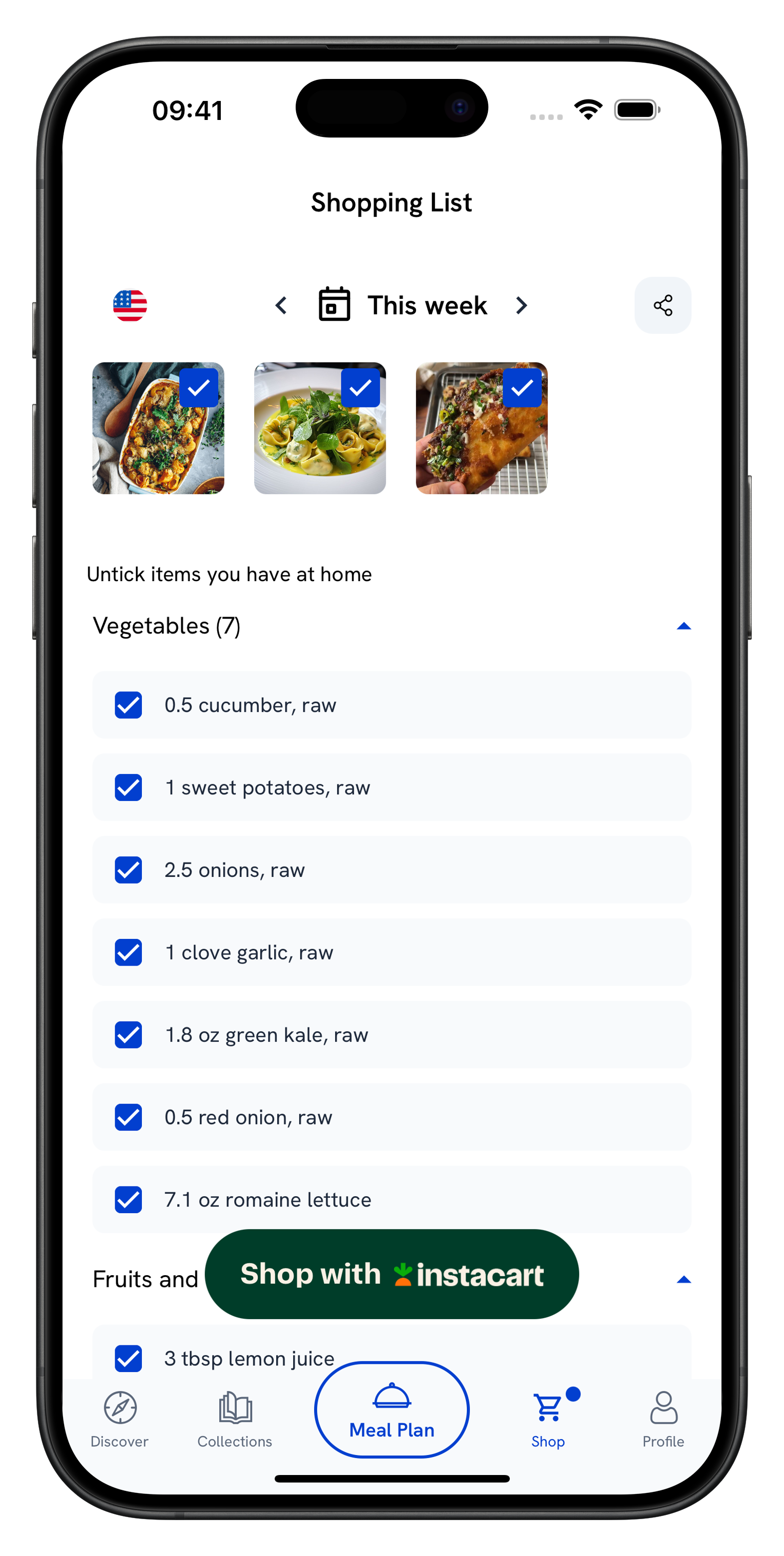
When you add multiple recipes to a plan, Sundæ combines matching ingredients across recipes into one grocery list. It accounts for quantities, units, servings, and pantry staples so you do not have to shop recipe by recipe.
You can adjust servings before shopping so your grocery list matches the number of people you are cooking for.
4. Shop Ingredients With Instacart
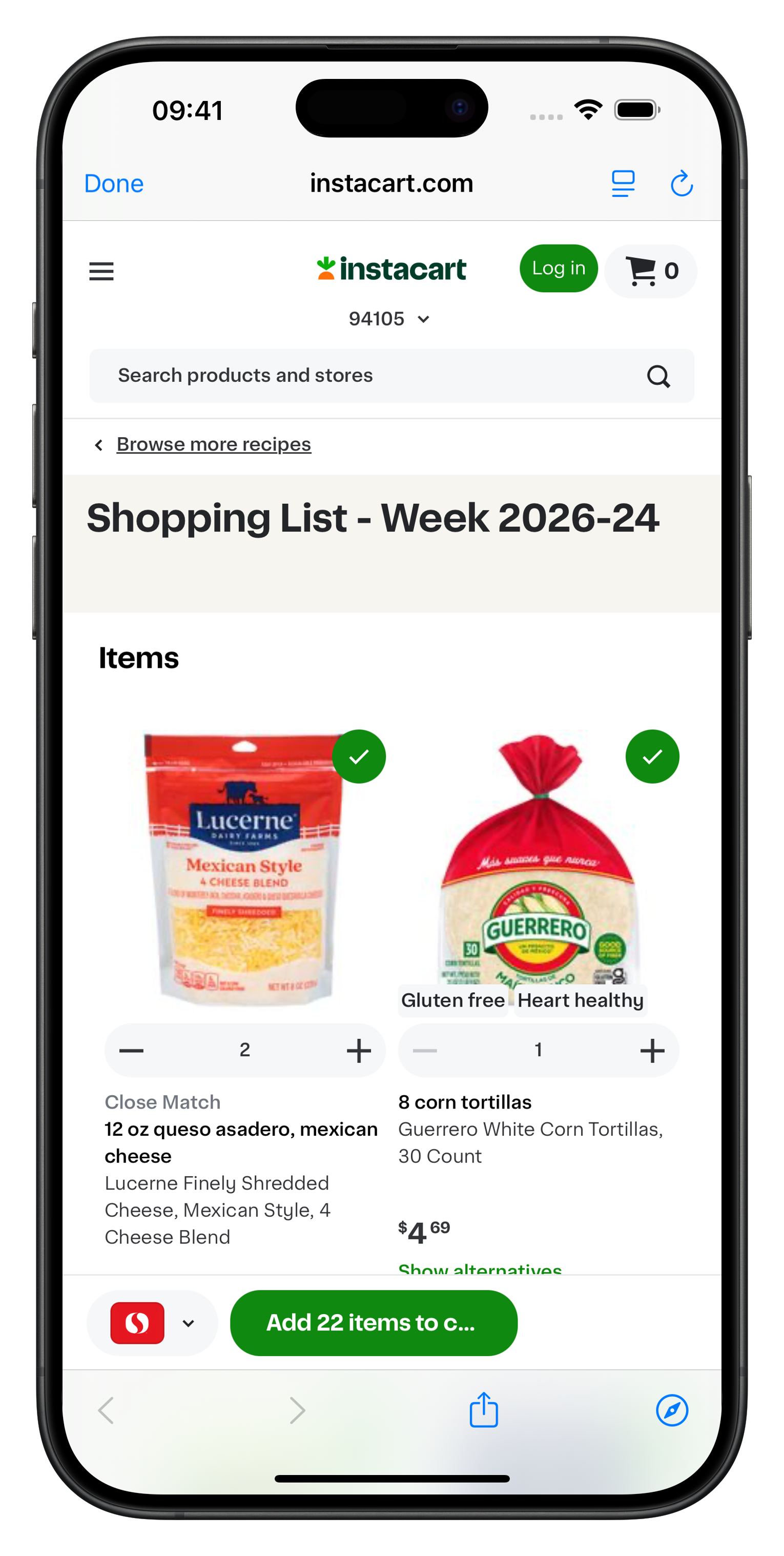
From your shopping list, tap Shop with Instacart to send your list to Instacart as a pre-filled cart. You can review items, edit quantities, substitute products, and complete checkout through Instacart.
Sundæ does not deliver groceries or handle fulfillment. Grocery checkout depends on Instacart availability in your location.
5. Balance Your Week With Nutrition Scores
Sundæ gives your weekly meal plan a 0–100 nutrition score based on macro and micronutrient balance. The weekly breakdown shows where your plan is strong, flags missing nutrients, and recommends meals or snacks that can help improve your score.
Nutrition is based on USDA nutrition data and Sundæ’s proprietary nutrition algorithm developed with nutritionists.
Nutrition scores are informational and are not medical advice.

What Sundæ Is and Isn’t
Sundæ is a meal planning and recipe-to-shopping app designed to help you go from food inspiration to cooking faster. It is not a grocery delivery service, does not replace Instacart, and does not provide medical advice.
Built for Real Meal Planning
Sundæ uses USDA nutrition data, was developed with nutritionist input, and is rated 4.8 stars on the App Store at the time of writing.
Ready to Get Started?
Save recipes, plan your week, and shop your groceries from one app.